Your job, in the same app.
If your employer uses Yoseri Business, your Employee space is inside Yoseri: your schedule, your shifts, your pay, your team. And nothing from Banking reaches it.
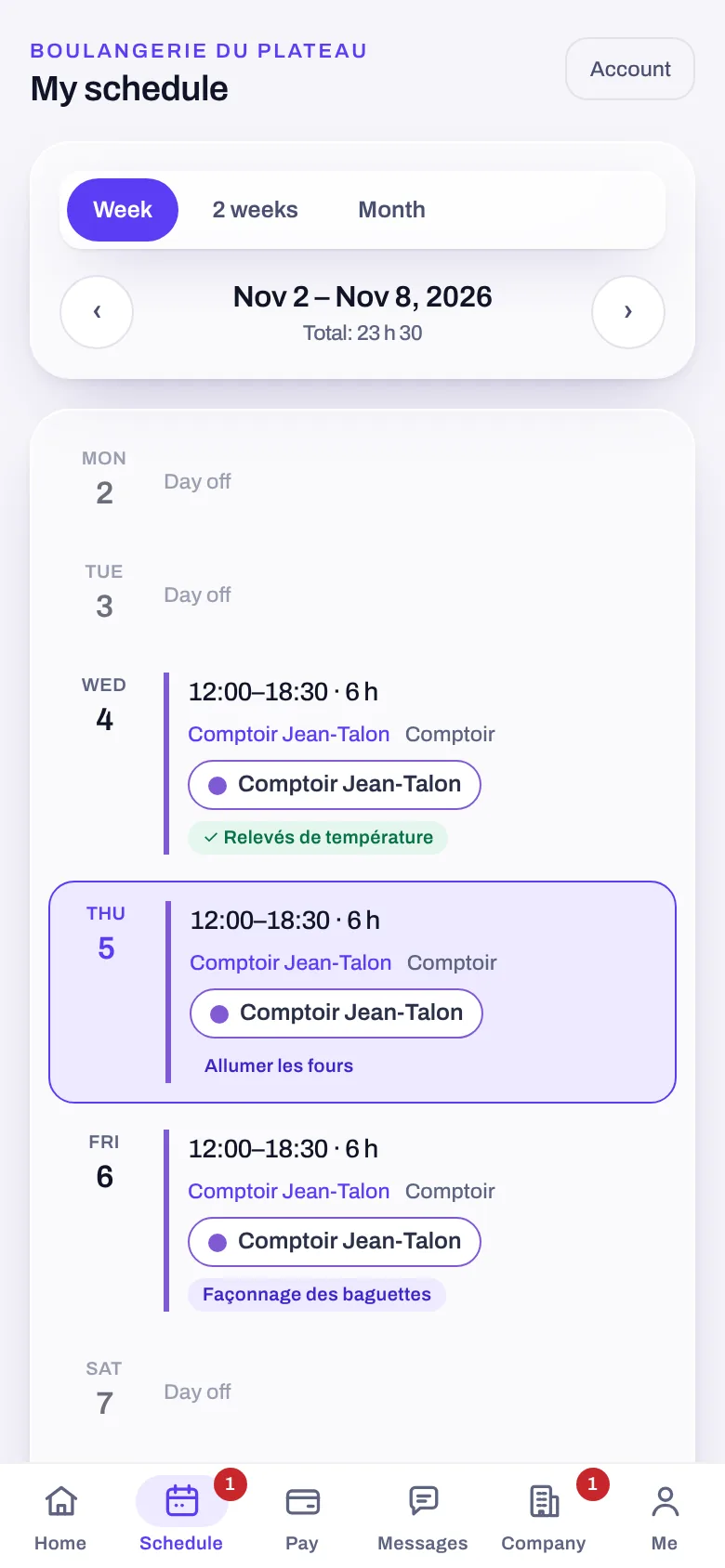
Schedule
By week, two weeks or month. Open shifts and swaps.
Time off
Your time-off requests and your availability, by season.
Pay
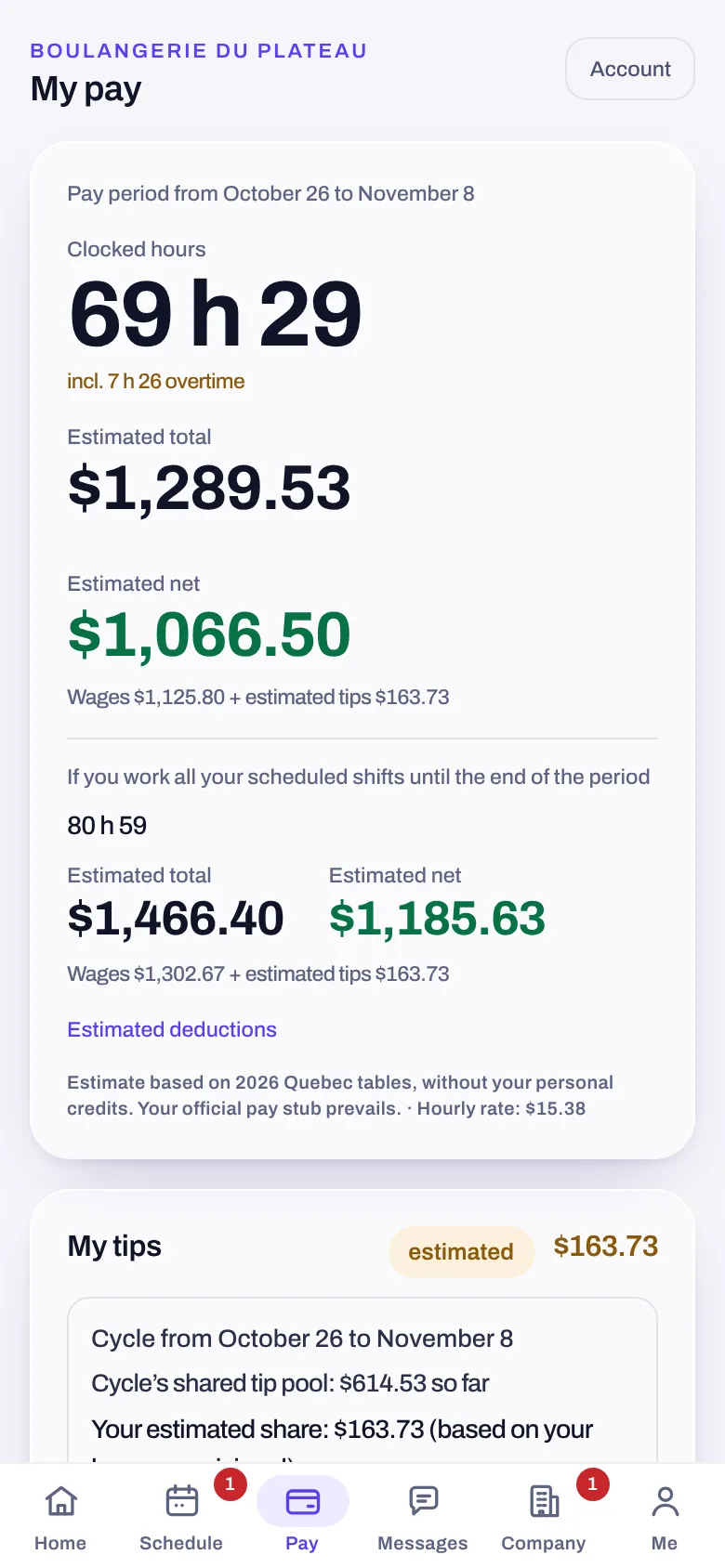
Your hours, estimated pay and deductions, your tips, your pay stubs.
Team
Real-time messaging, voice messages, documents to sign.
What you work, and what you can pick up.
The Employee space includes every screen of the Yoseri Business Team app, without leaving Yoseri.
- Your schedule by week, two weeks or month, with the station and planned tasks.
- Open shifts, posted by your manager or offered by a colleague; and swaps for yours.
- Your requests for time off, your availability, your file and your benefits.
- Your company’s notifications open the right screen directly in Yoseri.
Your hours, your pay, your tips.
What your company publishes, read with your own access.
- Hours clocked and the period’s estimated pay, with deductions broken down.
- Tips for the cycle, and your share.
- Pay stubs and documents to sign, in one place.
- An estimate is an estimate: your official pay statement has the final word, and the screen says so.
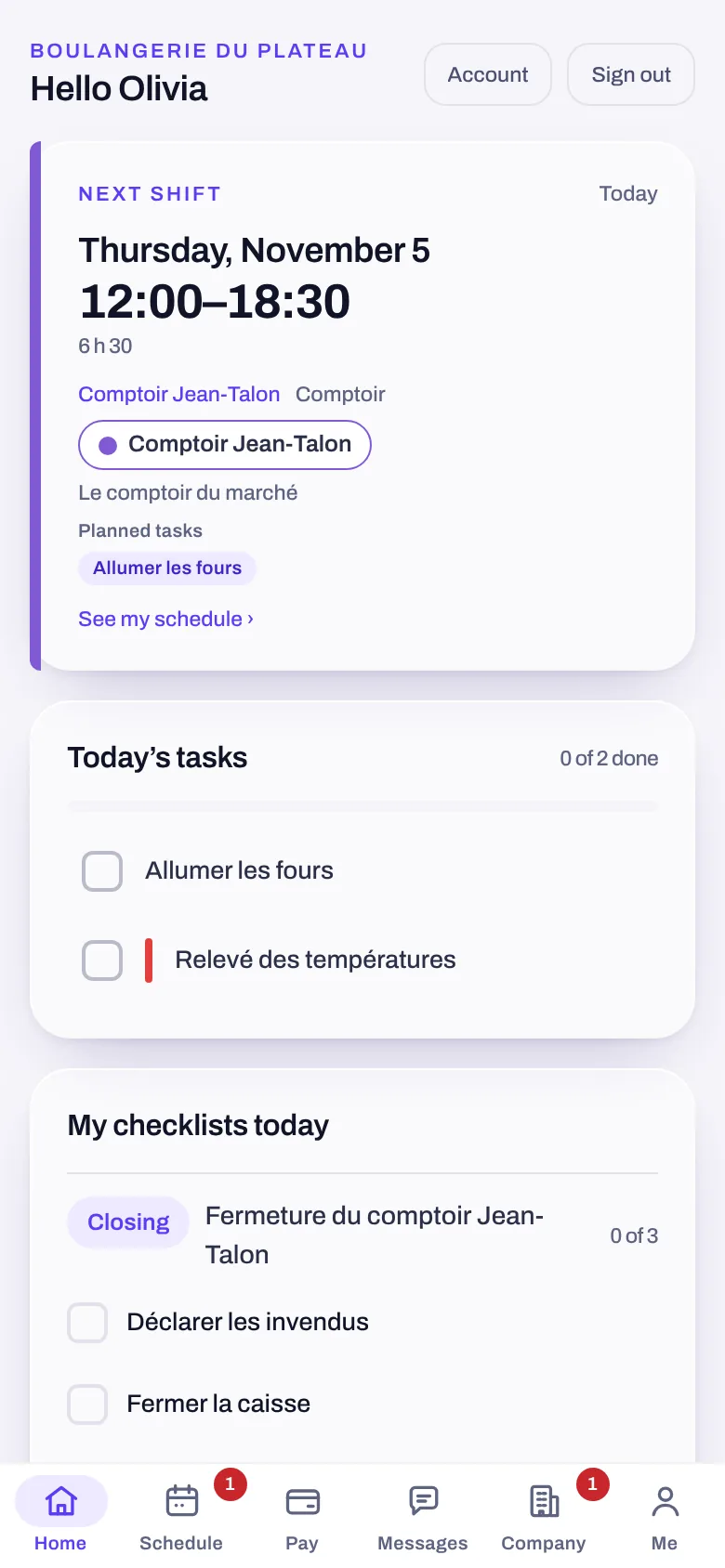
Your job, connected to your day.
The Employee space lives inside Yoseri, next to your other apps, without ever giving them access to your money.
Your shift’s tasks show up in Tasks: read from your employer, ticked there, never copied.
Team conversations land in the same inbox as Messages, marked “Work”.
Your work papers are filed in the Vault, with the rest.
Two spaces. One app.
Your money
The Employee space has its own access: nothing from Banking reaches it, neither your accounts nor your budget.
Your other apps
Your notes, goals, household and groups stay yours. The business only reads what you do in its space.
Two doors
Yoseri’s home has two doors, “My Employee space” and “My Banking space”, each with its own access.
Employee, in three questions
How do I join my company?
With the company code and employee code your manager gives you, or by scanning the console’s QR code, which fills in both. Yoseri’s home then has two doors: “My Employee space” and “My Banking space”.
Does my employer see my accounts?
No. The Employee space has its own, separate access: nothing from Banking reaches it.
Do I need to install another app?
No. The Employee space is inside Yoseri, like Banking, Notes or Tasks. Everything the Team app did is there.
Your job and your life, in one app. Never mixed.
The private beta opens in waves. Sign up and keep 50% off your subscription.