Your people, your groups. End-to-end encrypted.
Write to any Yoseri account, your Share groups, your household and the shops you go to. People find you only the ways you chose.
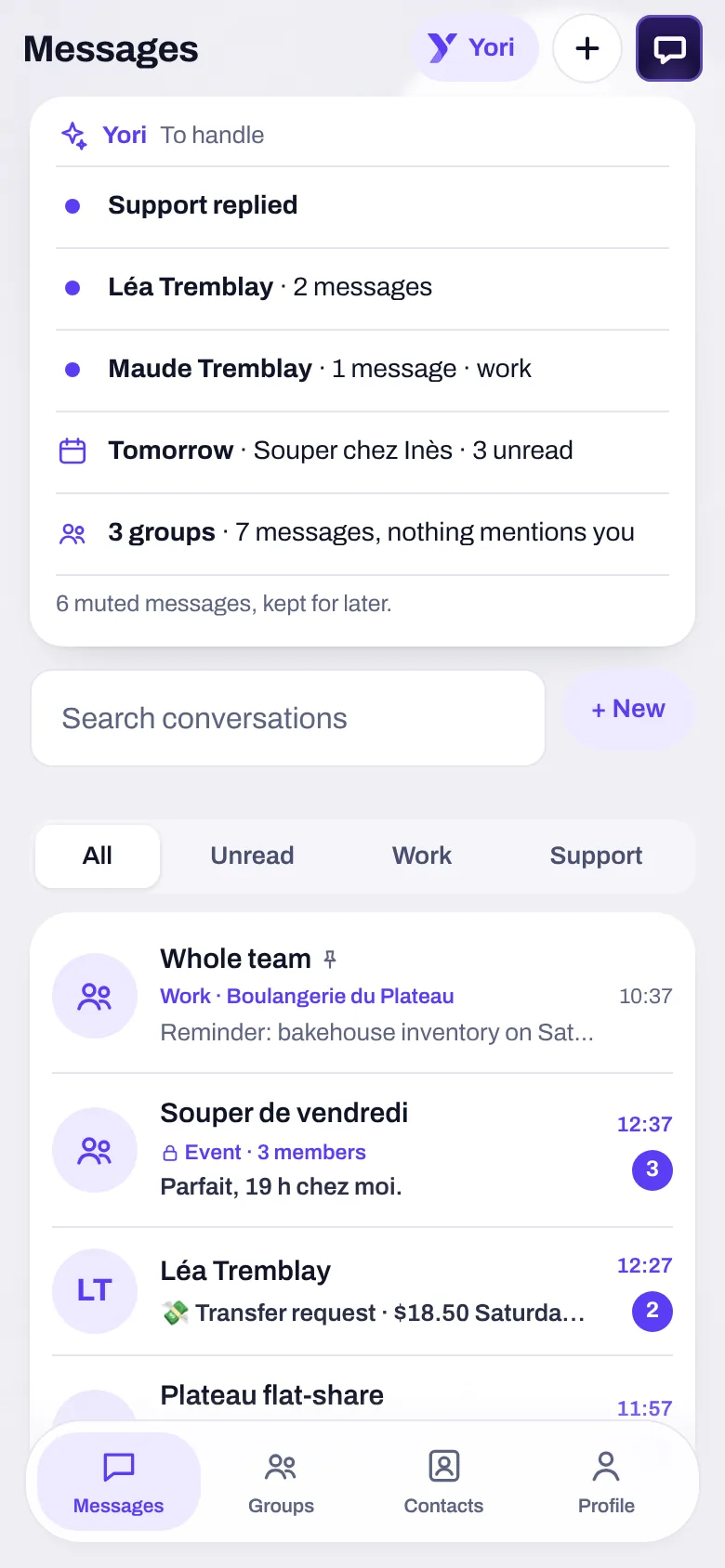
Conversations
Your contacts, your groups, each Share group’s conversation and your household’s.
Shops
Write to a Yoseri Business shop: verified badge, promised response time shown.
Work
Your Employee space conversations land in the same inbox, marked “Work”.
Support
Yoseri support answers here, and shows the response time it promises.
Request, confirm. Recorded, once.
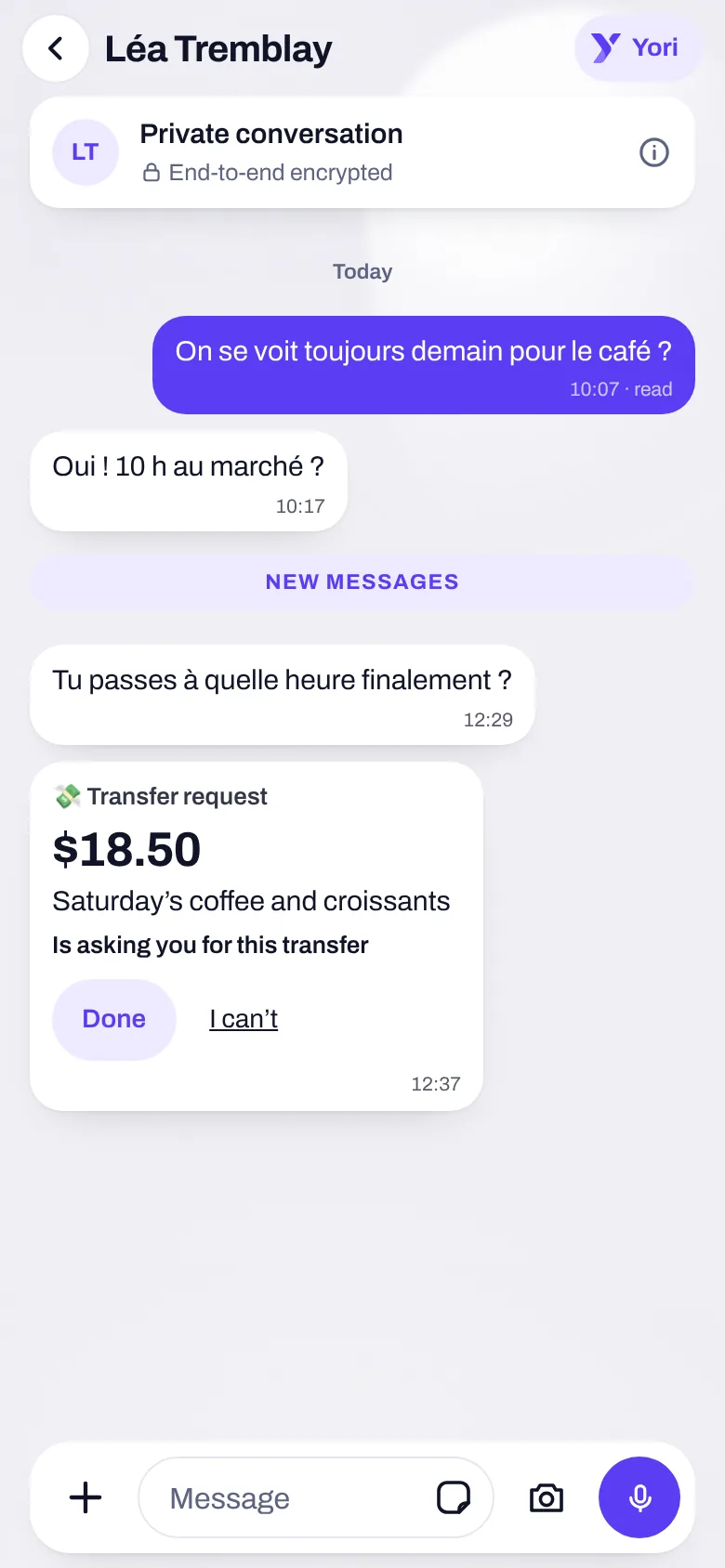
“+”, then “Request a transfer”: the amount, the reason, who from. In a group or the household, the sheet prefills what each person owes you.
- “Done”: a button, or simply “done”, “paid”, “sent” typed in the conversation.
- For the payer, the payment is recorded in Banking. For the requester, the income, and “Not received? Remove” undoes it in one tap.
- In a group or the household, the settle-up also goes into the Share or Family tally.
- On a connected account, your bank has the final word: nothing is written twice. And Yoseri moves no money: you make the transfer as usual.
People find you the way you want.
No one finds you by chance: only by an exact username, email or number, and only the ways you ticked.
- By default, by your username only: neither your email nor your number.
- Your profile: photo, name, bio, links; shared by link or QR code.
- A contact can be renamed and keep a note just for you. Block and remove are one tap away.
- A shop that writes first waits for “Accept” or “Block”, and sends only one message until then.
Encrypted
One key per device; the server stores only encrypted data and refuses plain text.
Exceptions, stated
Support and conversations with a shop are read by their team, and the screen says so.
Yori sorts. On your phone.
At the top of Messages, a sort on your phone sums up what’s waiting for you. Notifications only ring for what concerns you.
To handle
Support that replied, mentions, people who wrote to you.
Reminders
Conversations whose day is coming: “Tomorrow · Dinner at Inès’s”.
Chatty groups
Summed up in one line: “3 groups · 7 messages, nothing mentions you”.
Muted
Muted messages are kept for later, without ringing.
In “What Yori can read”, Messages has its own switch: Yori reads what’s waiting for your reply there, and never sends a message.
One conversation, and the rest follows.
What’s said in Messages doesn’t need copying elsewhere: one tap sends it where it’s useful.
A confirmed transfer is recorded in Banking, once, even if you reopen the conversation.
A settle-up in a group goes into the Share group’s tally.
A message “Create a task”: “Can you prepare the contract for Friday?” becomes the task, due Friday.
A message “Save to Notes”, in one tap.
An attachment “Save to Yoseri Vault”, in one tap.
The household has its conversation, opened from Family; each Share group has its own.
Messages, in three questions
Can Yoseri read my messages?
No. Your conversations are end-to-end encrypted: the server stores only encrypted data and refuses plain text. Two exceptions, stated on screen: Yoseri support and conversations with a shop, read by their team.
Can people find me by my phone number?
Only if you ticked it. By default, people find you by your exact username. Neither your email nor your number is used to find you without your consent.
Does a transfer request move money?
No. It records what was done elsewhere: you make the transfer with your bank. Once confirmed, the payment and the income are recorded in Banking, once.
Your conversations, finally connected to the rest.
The private beta opens in waves. Sign up and keep 50% off your subscription.