What you have to do. And when.
“Call the garage tomorrow 9am”: Tasks gets the date. One list for your tasks and calendar reminders, projects that move forward, and a board to see where everything stands.
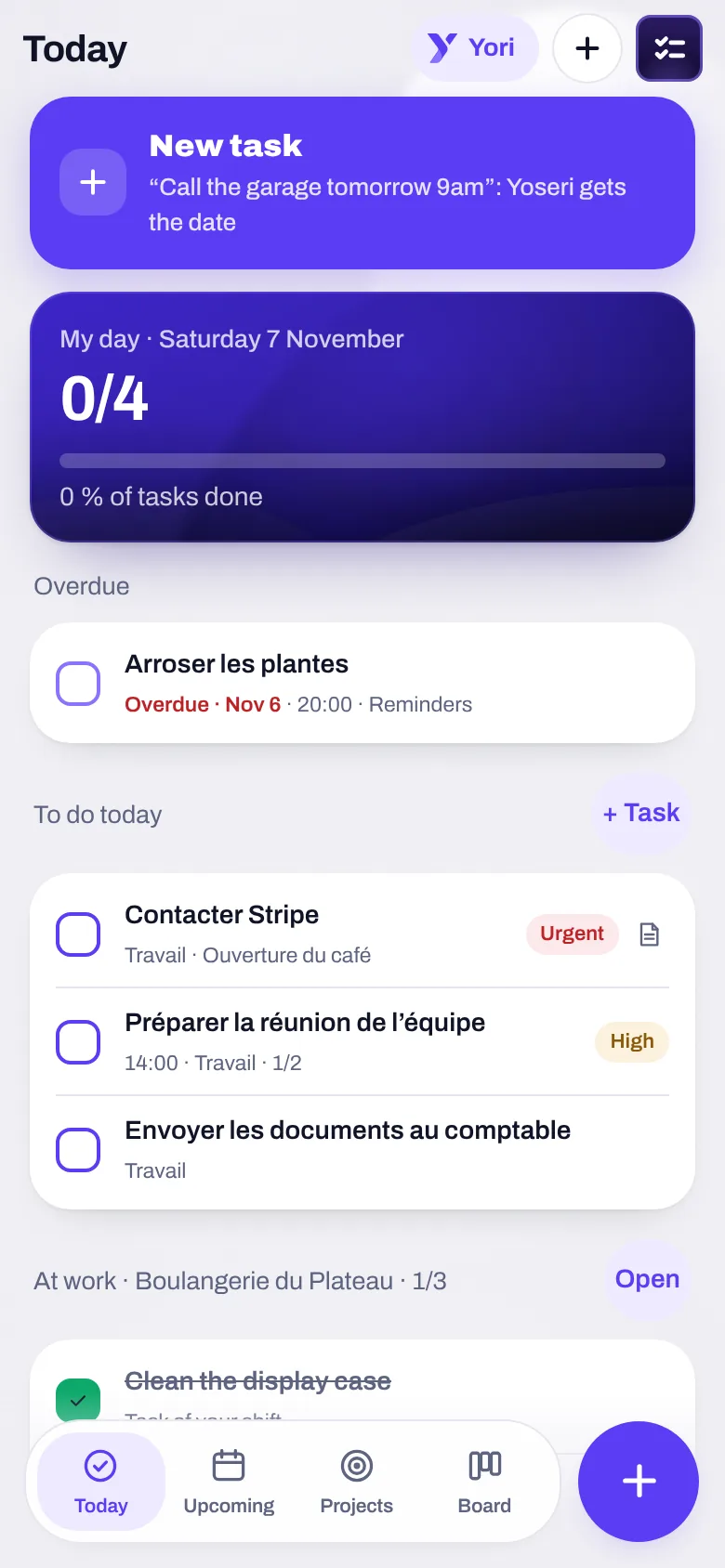
Today
“My day 4/7”: what’s overdue, what’s due today, and what comes from work.
Upcoming
Day by day, with Banking due dates next to your tasks.
Projects
Grouped tasks, with their progress. A Goals goal creates its own.
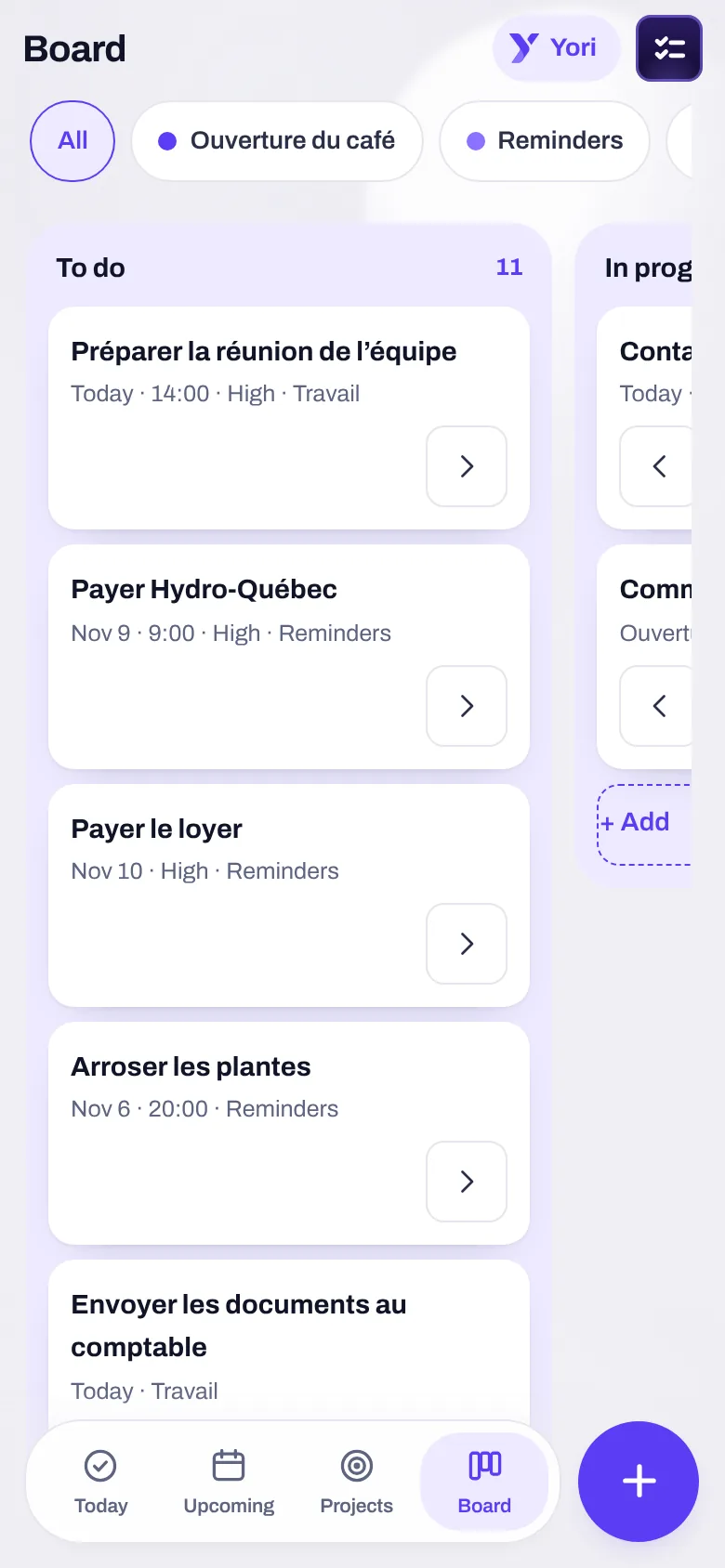
Board
Columns you name; each task moves forward with an arrow.
A task is typed the way you’d say it.
Type the sentence; Tasks pulls out the date, the priority and the tag. Enter adds it, and sets up the next one.
- “tomorrow 9am” is read, and “Tomorrow” lights up. “!” sets the priority, “#tag” the tag.
- Four priorities: low, normal, high, urgent. Plus repeats, early reminders and subtasks.
- Calendar reminders ARE your tasks: one single list, not two that contradict each other.
- “More details” opens the rest: project, column, linked note, documents, payment. Folded away while empty.
Assign a task, and let them know.
Couple, family, roommates, colleagues: you join a shared space with a code.
- An assigned task notifies the person, in their language: “Jules assigned you ‘Pay daycare’ · Home · due Nov 7”.
- Never to yourself, never for a task already done. When you open the app, it repeats once what was assigned to you.
- Comments on each task, to talk about it where it lives.
- Sharing moves the task: one single version, up to date for everyone.
Priorities
Low, normal, high, urgent.
List
Your tasks and calendar reminders, together.
Tell Yori. The task is created, and checked.
“Remind me to pay the insurance on the 15th”, “every Monday, remind me to take out the trash”. The card shows the title, date and time, all editable; nothing is created before “Add”.
Create, then check
After your go-ahead, Yori rereads the task before writing “Done, and checked”. “Undo” removes what it added, and only that.
Organize your week
“Organize my week”: day by day, overdue items first, the days with no fixed appointment.
Prepare a trip
“I’m going to Lisbon on December 20 for a week”: the event, two tasks (D-7, D-1), a list in Notes, the payments due while you’re away. Each step can be unticked.
What it refuses
“Make a transfer”, “cancel my subscription”: refused, with the offer to make it a task.
Tasks also come from elsewhere: a note, a message, a goal, a plane ticket. None is created without your go-ahead, unless you choose the automatic level, and then “Undo” is still there.
The what-to-do, connected to the rest.
Tasks says what you have to do. The other apps drop in whatever needs action.
A Banking due date shows up in Upcoming; “+ Task” in one tap.
A task to pay ticked: the expense is suggested, never written without your go-ahead.
Your shift’s tasks read from your employer, ticked there, never copied.
A document about to expire gives you a “Renew” task, with its reminder.
A bill gives you a “Pay” task; the next one is created if it recurs.
A goal creates its project; a step becomes a task.
Tasks, in three questions
Are the calendar and Tasks two lists?
No. Calendar reminders are your tasks: one single list. A dated task shows in the calendar, and ticking it there ticks it in Tasks.
Is the person I assign a task to notified?
Yes, with a notification in their language, with the space’s name and the date. Never for yourself, never for a task already done.
Who sees a shared task?
The space’s members. Every time you share, the app says that what is shared can be read by the server; the rest never leaves your phone.
What you have to do, finally in one list.
The private beta opens in waves. Sign up and keep 50% off your subscription.