What you keep in mind. Written the way you’ll read it.
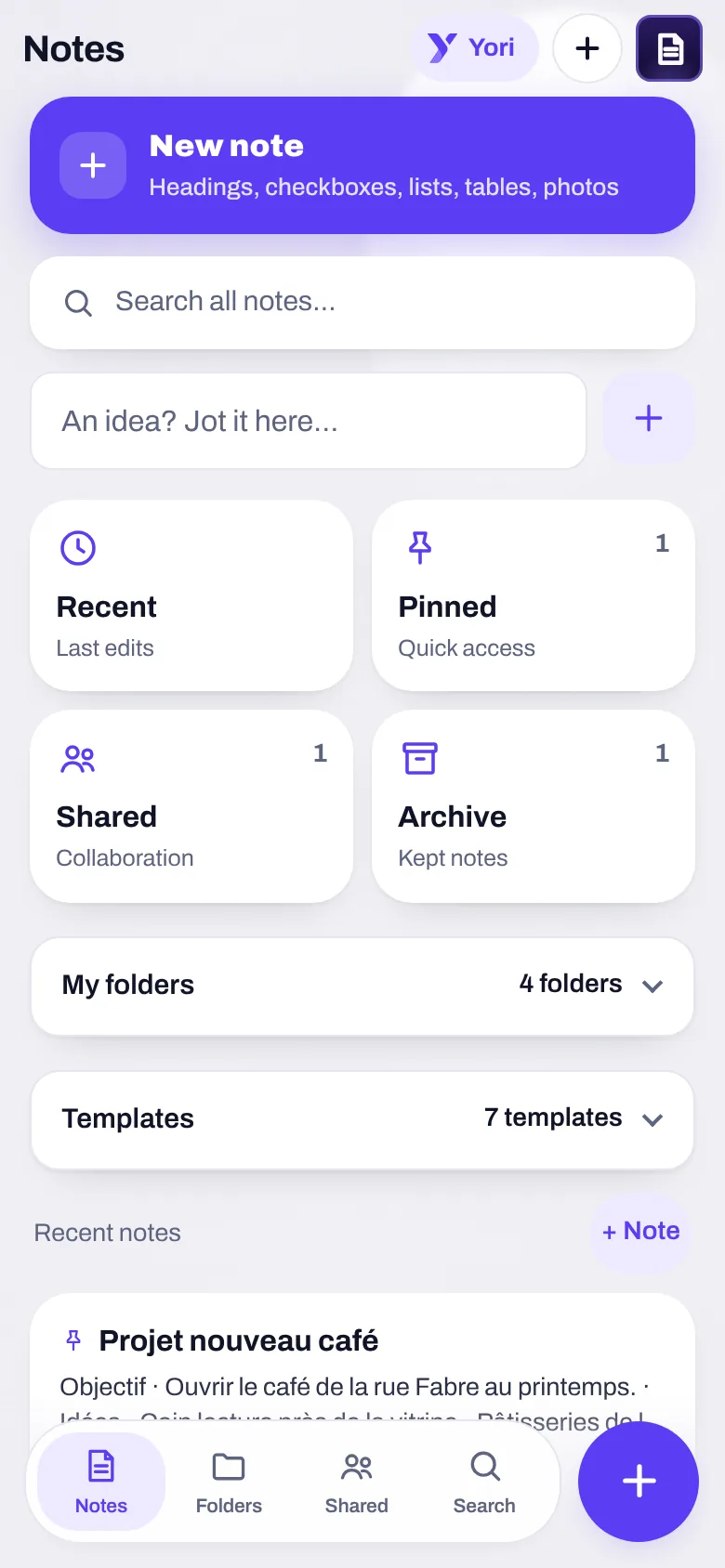
An idea, a meeting, a grocery list: your note is always in its final form. Headings, checkboxes, tables, photos. And Yori pulls the tasks out of it, on your device.
Write
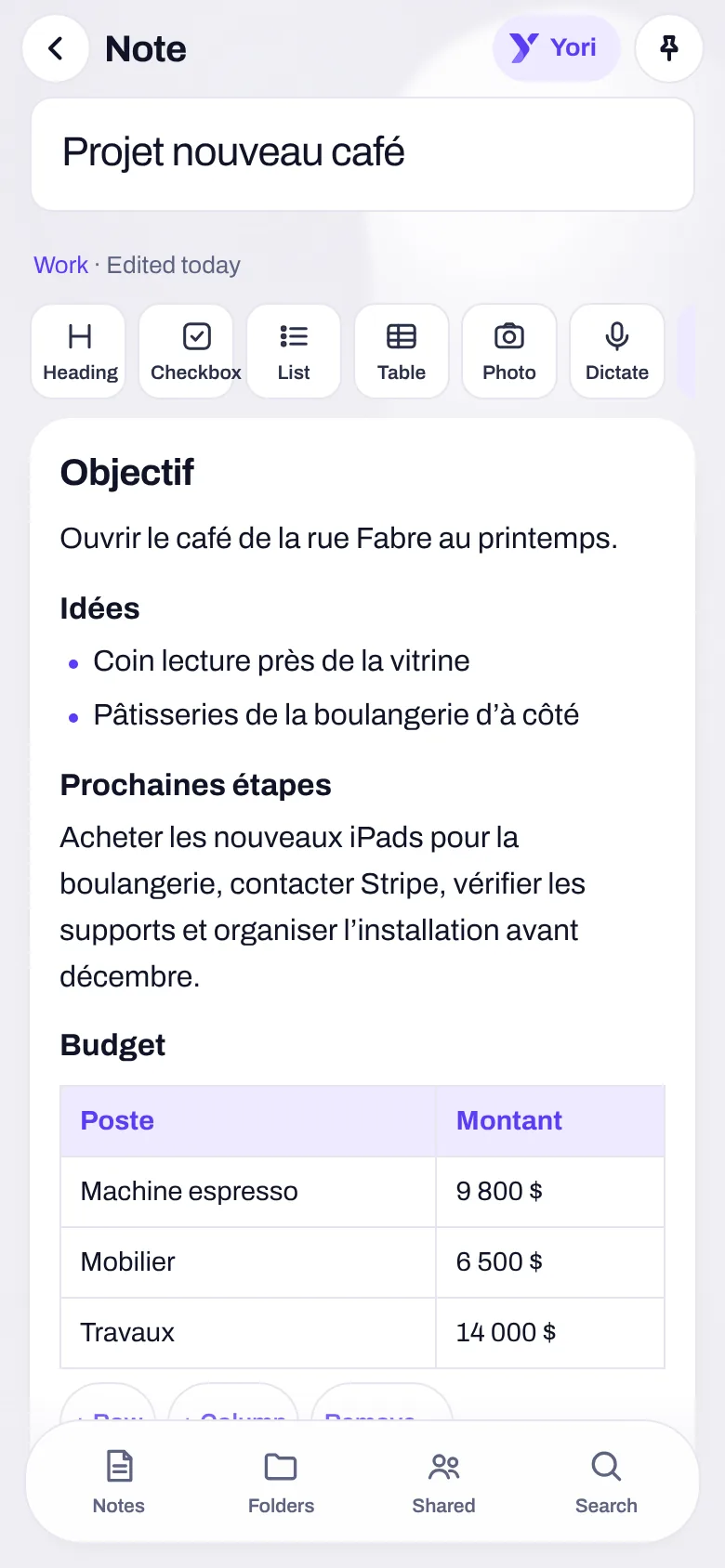
“#”, “-”, “[]” at the start of a line become a heading, a bullet, a checkbox. A table is a real grid.
Organize
Folders, tags, pinned notes, archive. Each folder can have its own icon.
Find
Search that ignores accents and case. The text in a photo is read on the device.
Templates
Meeting, project, class, budget, groceries, journal, invoice: the structure is already there.
An editor, not a text box.
No more “read” mode and “write” mode: what you type is already the final note.
- Every line is a block: text, heading, bullet, checkbox, table. Enter continues a list; a checkbox ticks with one tap.
- Dictate: with the browser’s speech recognition, or else the keyboard’s microphone.
- Photos and documents are filed in the Vault; the note keeps only the reference.
- The big “New note” button creates a note in one tap, in the open folder or space.
Send a note, not a wall of text.
“Send as a link”: a link for one, seven or thirty days, to a Messages conversation or to copy.
- Encrypted on your device: the key stays in the link; the server never reads it.
- The other person taps the “Note” card and reads the whole note, its table as a table. Even without a Yoseri account.
- In a shared space (couple, family, roommates, colleagues), the note moves: two copies that drift apart are two truths.
- What is shared in a space can be read by the server, and the app says so every time. The rest never leaves your phone.
Templates
Meeting, project, class, budget, groceries, journal, invoice.
Longest link
One, seven or thirty days: you choose how long the note stays readable.
Yori reads your notes. On your device.
No note is sent off to be read. What Yori does with a note:
Summarize
The gist of a long note, without touching it.
Turn into tasks
“Buy the iPads, contact Stripe, check the stands and organize the setup before December”: four linked tasks, the last one due November 30. The note stays as it was.
Spot
Dates and deadlines, decisions, what would make a checklist.
Connect
Notes that look alike, so you don’t write the same thing twice.
What it doesn’t do, it says: a full rewrite of a note isn’t done.
Written once. Useful everywhere.
A note isn’t an island: it goes out as tasks, messages and attachments, and comes in from elsewhere.
A note becomes dated, linked tasks; the note stays as it was.
A message “Save to Notes”, in one tap, from the conversation.
A note goes as a link into a conversation, as a card you tap to read.
A photo or an attached document is filed in the Vault; the note keeps only the reference.
A plane ticket gives you the packing list, a checklist note.
A goal keeps its notes linked, next to the aim.
Your notes stay yours. Except the ones you share.
A note of your own
Stays on your phone. Yori reads it there, and nowhere else.
A note in a space
The space’s members read it, and so does the server: the app says so every time you share.
A note sent as a link
Encrypted on your device; the key travels in the link. The server keeps only encrypted data.
Notes, in three questions
Do my notes go to a server?
Not the ones that stay yours: they live on your phone. A note shared in a space can be read by the server, and the app says so. A note sent as a link is encrypted on your device, and the server can’t read it.
Does Yori read my notes anywhere but my phone?
No. Summarizing, turning into tasks, spotting dates: it all happens on your device. No note is sent off to be read.
Can someone without Yoseri read a note I send?
Yes, read-only: the link opens without an account, for one, seven or thirty days as you choose. They can copy the text, or keep the note if they have Yoseri.
What you keep in mind, finally in the right place.
The private beta opens in waves. Sign up and keep 50% off your subscription.