Where your papers are. And when they expire.
Passport, lease, insurance, warranties, diplomas: Vault files your documents by category, spots their expiry dates and finds them when you ask. Reading happens on your device.
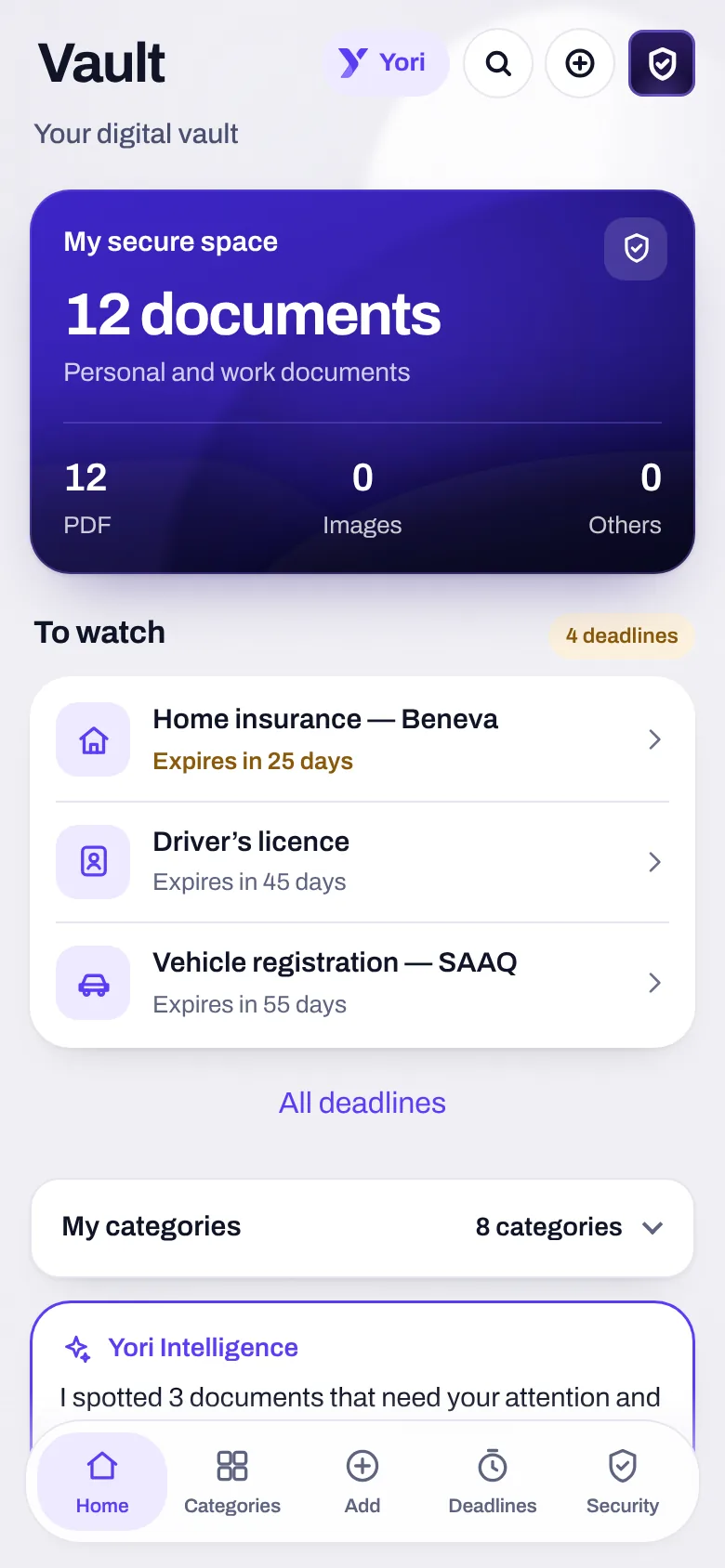
Categories
ID, Finance, Work, Housing, Health, Vehicles, Studies, and the ones you create.
Scan
Several photos become one PDF, put together on your device.
Deadlines
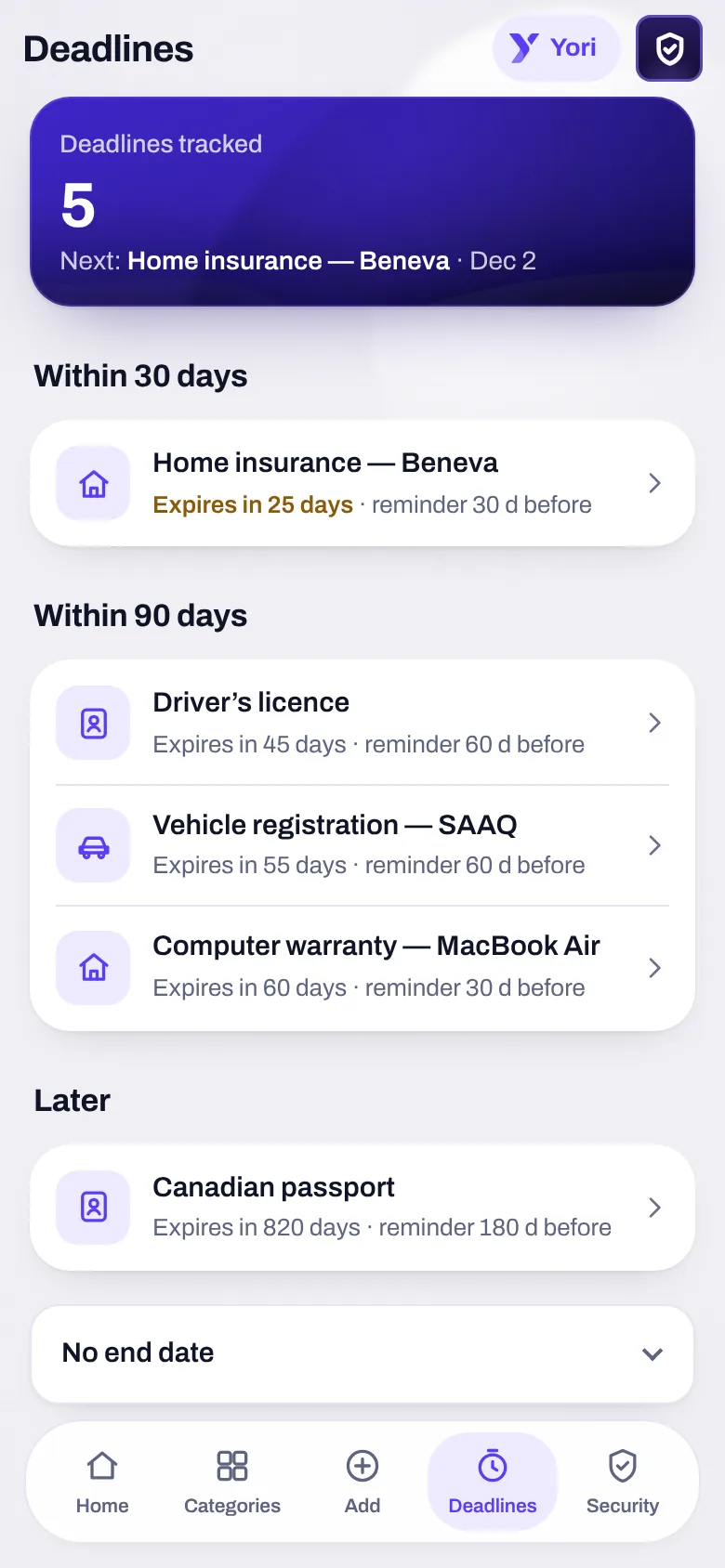
Within 30 days, within 90 days, later: each expiry with its reminder.
Security
ID and Health ask for your code or biometrics again, open for five minutes in memory only.
Nothing expires behind your back.
Every document with an end date shows it, with its reminder, and puts it in your calendar.
- Sorted by timing: within 30 days, within 90 days, later, no end date.
- In your calendar, in a “Vault” calendar you can hide: the expiry and the reminder day.
- In Tasks, a “Renew” task, so the deadline becomes an action.
- Just ask: “when does my passport expire?”, “amount of my insurance”. The answer only quotes what is written in the document.
Share a document, without losing control.
“Share a secure link”: the key is unique to the link and never goes to the server.
- Expiry: one, seven or thirty days, and a number of opens you choose.
- A password if you want one: after ten wrong tries, the link is revoked.
- Revoke whenever you like; the log of opens keeps neither IP address nor device.
- The recipient doesn’t need a Yoseri account.
ID and health
Open in memory only, then closed again. Your code is asked again.
Tries at most
Beyond that, a password-protected link revokes itself.
Yori reads the document. And says where each value comes from.
Type, issuer, number, amount, dates: each value carries its mark. Nothing is filed without “Confirm”.
“Read”
The value is written in the document, and Yori shows the line it comes from.
“Assumed”
An ambiguous date (is 03/04 March 4 or April 3?) is never presented as certain.
“Written by you”
What you corrected or added stays yours, and says so.
A careful deadline
Suggested only if the date sits next to an end word: “expires”, “valid until”, “from … to …”.
Your papers, where they’re needed.
Vault keeps the documents. The other apps point to them by reference: nothing is copied, nothing leaves the vault without you.
A proof of purchase finds its Banking transaction: same amount to the cent, close date. Suggested, never set.
A receipt scanned in Wallet is filed in the Vault, ready for a warranty or a refund.
An attachment “Save to Yoseri Vault”, in one tap, from the conversation.
An expiry gives a “Renew” task, and its date in your calendar.
A family document goes as an encrypted link into the household chat, as in a Share group.
Your Employee space fills the vault too: your work papers, filed alongside the rest.
What Vault doesn’t do yet. And says so.
An inbox
Receiving documents by email needs an incoming address: not connected yet.
E-signature
Not in Vault yet. The app says so rather than pretend.
A link with Business
Vault isn’t connected to Yoseri Business: your personal papers stay on your side.
Vault, in three questions
Are my documents sent to a server?
No, unless you turn on sync. If you do, each document is encrypted on your device before it leaves, with a key the server doesn’t know.
Can Yori get a date wrong?
It can hesitate, and it says so. A value read carries “Read” with its line; an ambiguous date carries “Assumed”. Nothing is filed without “Confirm”.
Does a link’s recipient need an account?
No. They open the link, enter the password if you set one, and read the document, as long as the link hasn’t expired and you haven’t revoked it.
Your papers, finally in one place.
The private beta opens in waves. Sign up and keep 50% off your subscription.